 Popout Authenticator
Popout Authenticator — 2FA & OTP Codes
2FA authenticator for your browser. Encrypted codes in a popup, window or side panel, filled into the sites you allow.
Open source (MIT) · No account limits · No sign-up · No analytics
See it in about a minute
Opening views, filling a code, adding from a QR code, importing a backup, sharing a code, and locking. Demo accounts only.
Open it where you need it
- Use the toolbar popup, a separate window, or the side panel (sidebar in Firefox).
- Search, groups, pinned accounts, and a compact view keep long lists tidy.
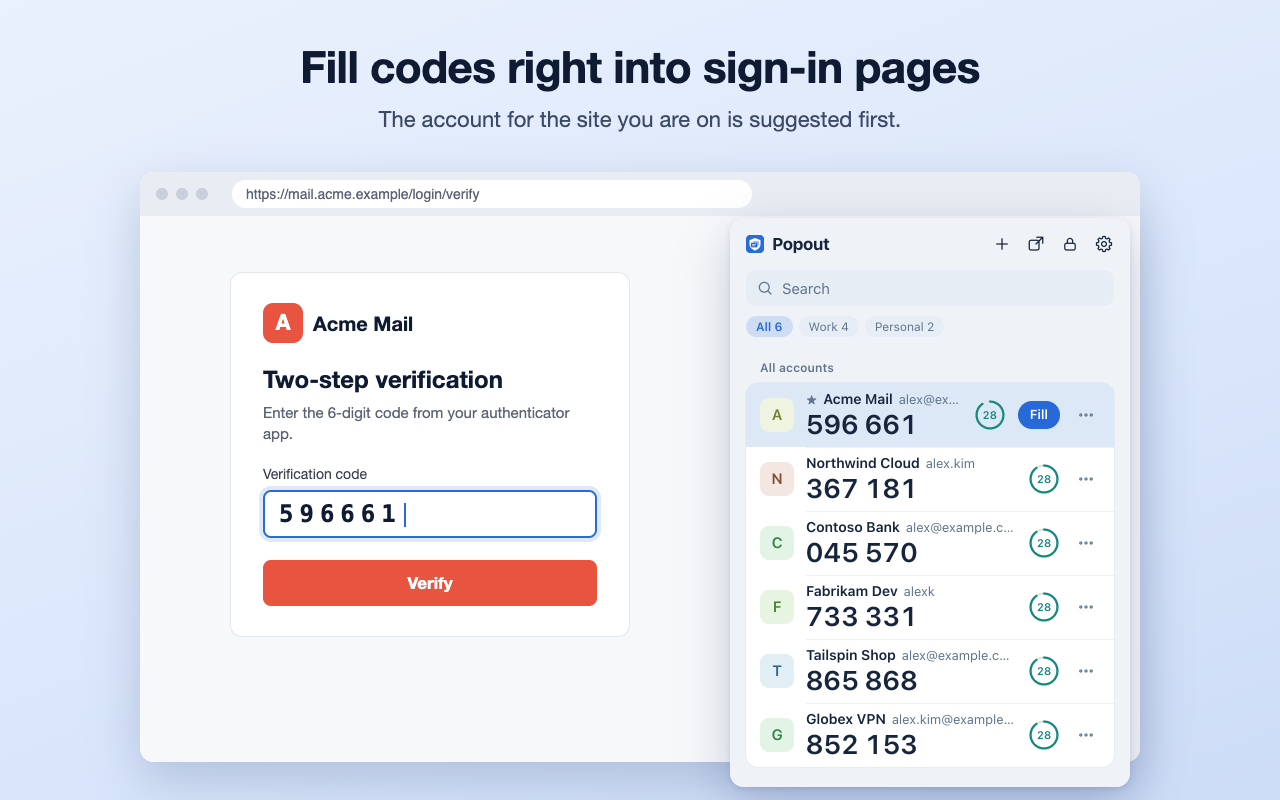
- See which account belongs to the site you are on, and fill its code with one click, a right-click, or a keyboard shortcut.
- Optional buttons next to code fields on the sites you choose.
Add accounts your way
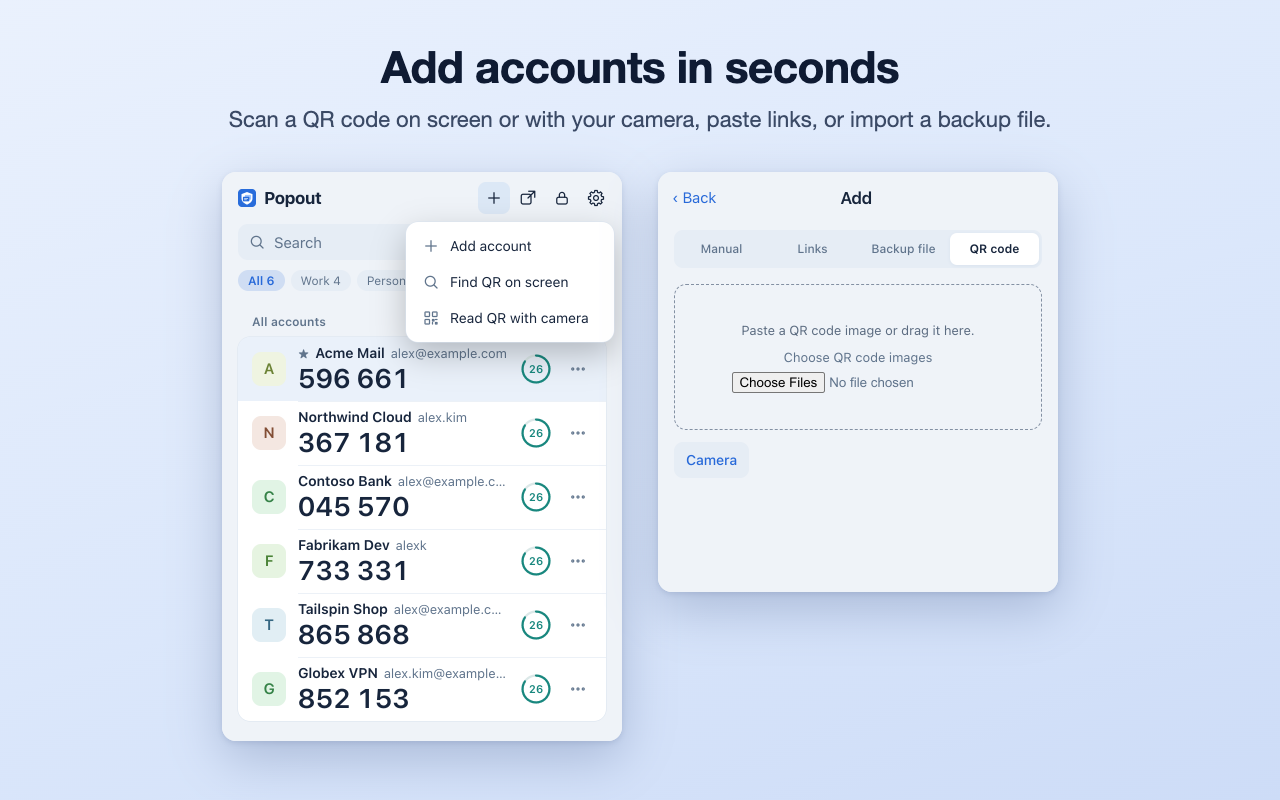
- Scan a QR code from the current tab, your camera, an image, or the clipboard.
- Paste otpauth:// links, or type the secret by hand.
- Import plain-text backups from many authenticator apps, migration QR codes, and standard credential exchange (CXF) files.
- Supports TOTP and HOTP with SHA-1, SHA-256, or SHA-512 and 6 to 10 digits, plus Steam (5 characters) and Battle.net (8 digits).
Private and protected
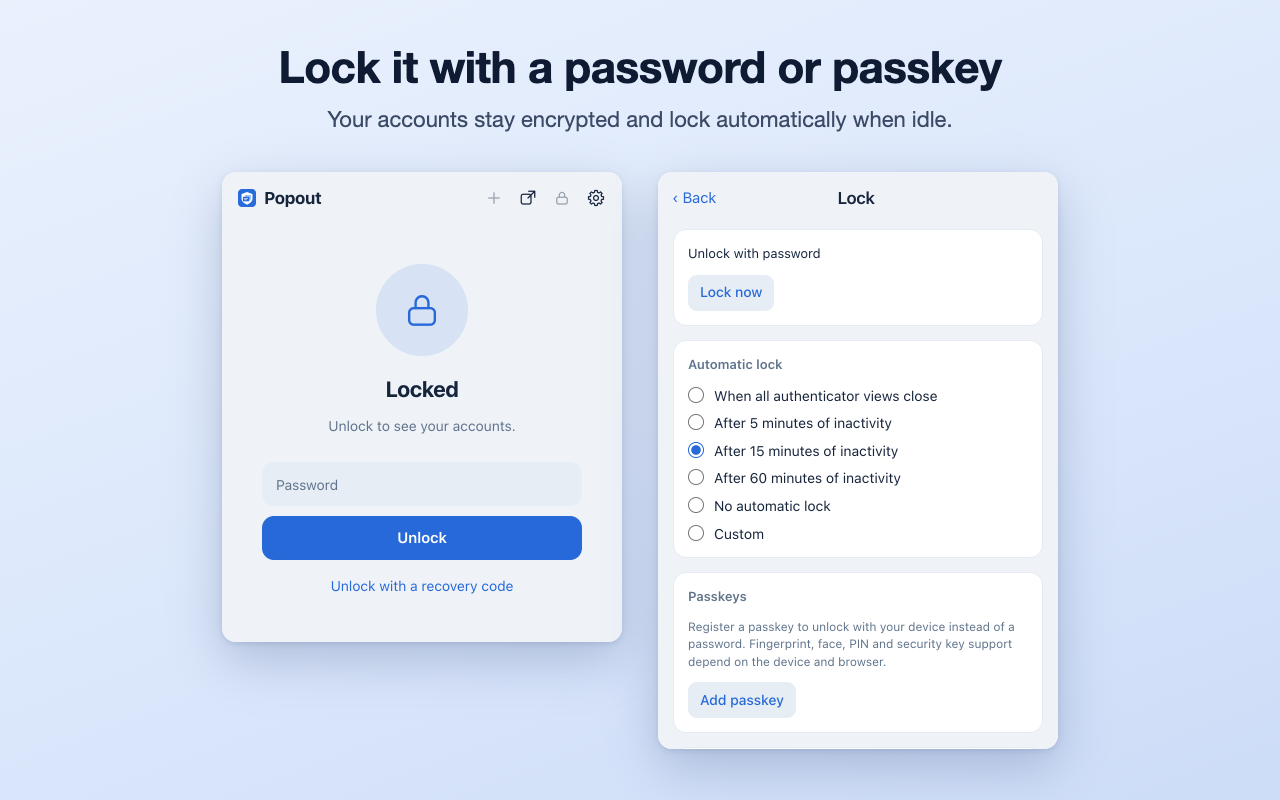
- Accounts are stored on your device in a vault encrypted with AES-256-GCM. Set a password to protect its key: without one, the key is kept on the device next to the data.
- Lock it with a password (Argon2id), a recovery code, and optional passkey unlock (not available in Firefox). Choose when it locks automatically.
- Optionally require device verification before a code is used (not available in Firefox), and hide codes with a keyboard shortcut you assign.
- No analytics, no ads, no developer server. The source code is public.
Backup and recovery
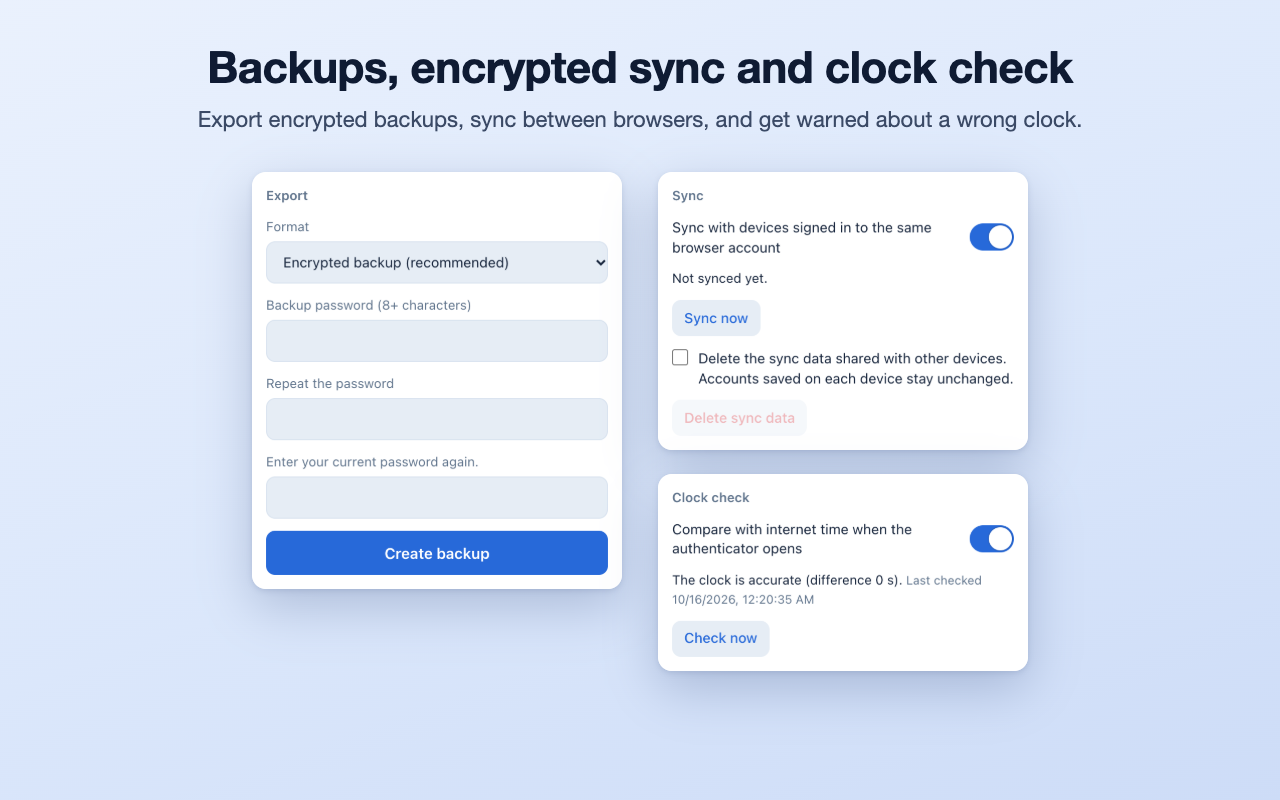
- Encrypted backups, plus exports to otpauth text, CXF, and QR codes.
- Sync between your devices through your browser's own sync (Chrome, Edge, Firefox), encrypted when the password lock is on.
- Recovery snapshots, a 30-day trash, and an account change history.
- Clock check warns you when your computer's time would make codes fail.
Share a code, not the secret
Send a link that shows the codes for the next 5 to 60 minutes, with an optional password. The link never contains the secret.
Guides
- Get startedInstall and add your first account.
- Popup, window, and side panelWhere to open your codes, and how to keep the list tidy.
- Fill codes into sign-in pagesOne click, right-click, shortcut, or a button next to the field.
- Lock and protectPassword, recovery code, passkey, and auto-lock.
- Backup, export, and syncKeep a copy and move between devices.
- Share a code with a linkCodes for a limited time, never the secret.
- TroubleshootingWrong codes, filling, and forgotten passwords.
Moving from another authenticator?
Privacy
There is no developer server, no analytics, and no ads. A clock check asks time.akamai.com, timeapi.io, and cloudflare.com for the current time, with no account data; you can turn it off. On Chrome, Edge, and Firefox, browser sync carries your accounts, encrypted with your vault key, through the browser's own sync service once you set a password lock; you can turn it off. Details are in the privacy policy.
Limits
- There is no cloud backup. You have file backups and your browser's own sync.
- Passkey unlock and device verification are not available in Firefox.
- Without a password lock, the vault key is kept on the device next to the data. Set a password if others can use this computer.
- The Safari version is for macOS; there is no iOS version.
Credits
Popout Authenticator builds on the MIT-licensed code and translations of the original Authenticator extension. Popout Authenticator is released under the MIT License.